How it works
From GPX files to your world map in minutes
No device to connect and nothing to install: just the files you already have.
1
Upload
- Create a free account and click Upload files - or Upload folder for a whole archive.
- GPX and FIT both work. Files you already uploaded are skipped automatically.
- Each file is read in the background: it gets its date, place, distance and climb, and a tidy name.
2
Organise
- Create categories with your own colours and give each Snake as many as you like.
- Let MapSnakes find your trips, or draw an area on the map to label everything in it.
- Clean Snakes shows GPS spikes, jumps and duplicates; fix them in a few clicks. Originals never change.
3
Explore
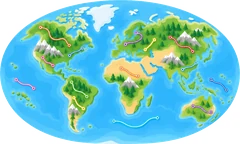
- See every Snake on one map and zoom from the whole world to a single street.
- Filter by year, date or category and colour the map the way you think about your journeys.
- Click any Snake for its details, then download it as a cleaned GPX or the original file.
Where are my files? Look in your device's app (Garmin Connect, Wahoo, Strava "export") or the folder where you keep your tracks.
Create your account